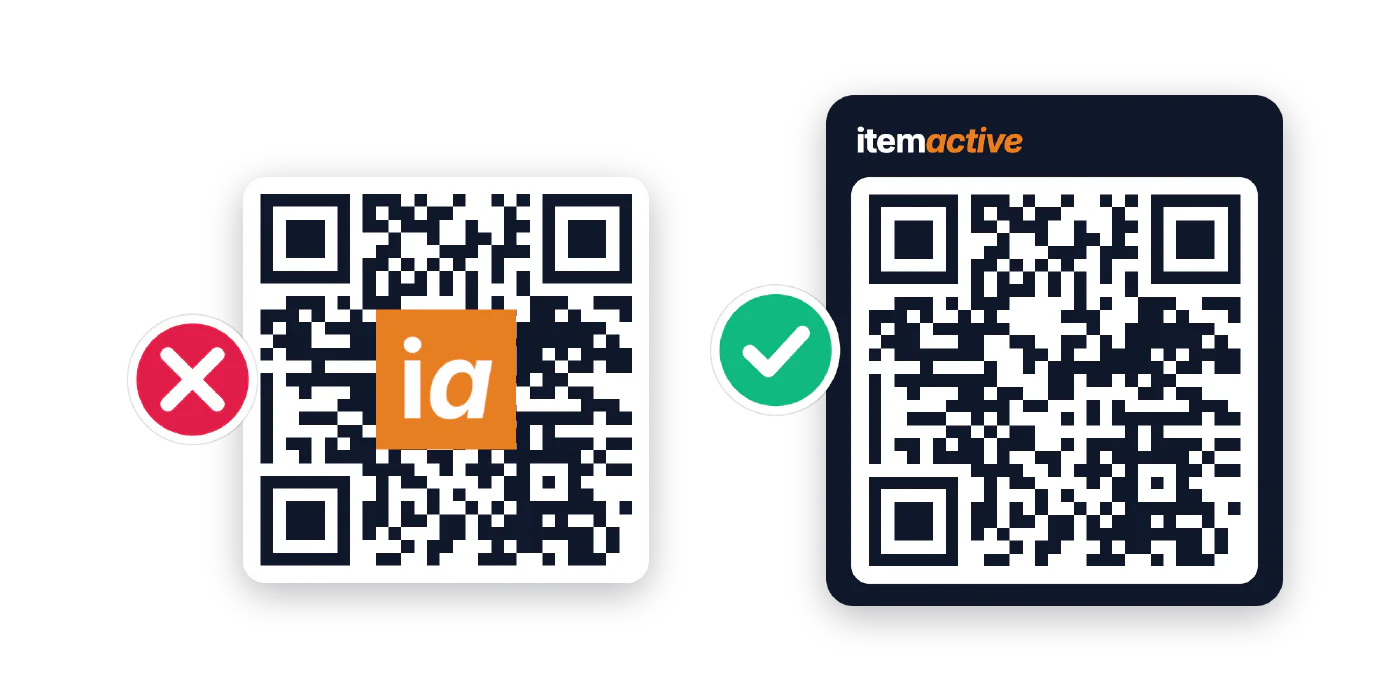
Putting a company logo in the middle of a QR code is common in marketing. Most online generators offer an “Add Logo” button: it adds brand identity and reassures customers that the link is authentic.
That works for short-lived campaigns. Physical products are different. Under EU rules like the Ecodesign for Sustainable Products Regulation (ESPR) and the EU Battery Regulation, they must carry a scannable data carrier linking to a Digital Product Passport (DPP), and on products meant to last for years that code has to scan reliably after being handled, washed, or scuffed.
The QR format was never designed to have an image in the middle, so a logo intentionally destroys part of the code before it is printed. Picture-style codes (data-shaped QArt and AI-generated codes) avoid the hole, but each pays for the picture in another way. This guide shows what each technique does to the code and how to brand a product QR code that still scans reliably.
Contents
How QR Codes Work in Brief
A QR code is a grid of black and white squares called modules, each one a single bit. It encodes a plain text string, not a webpage, so the longer the link (a serialized GS1 Digital Link, for example), the denser the grid and the smaller each module is printed. To survive scratches, dirt and wash cycles, every code also carries Reed-Solomon error correction that rebuilds 7% (Level L) to 30% (Level H) of damaged data. Every branding technique below either spends that budget or protects it.
 Part one
How QR Codes Work: Modules, Versions, Payload Density, and Error Correction
Read article
Part one
How QR Codes Work: Modules, Versions, Payload Density, and Error Correction
Read article
Branding Inside the QR Code
Every option here puts the brand into the symbol, and each pays for it in a different way.
Logo Overlay
- How it works
- The logo is placed over the centre. The scanner treats it as damage and rebuilds what it hides.
- Pros
- Familiar and recognisable at a glance.
- Cons
- Uses up error correction. A logo that is too large stops the code scanning.
Many people assume a generator wraps the data around the logo. It does not. The QR specification has no way to tell a scanner to skip the middle, so generators use a workaround:
- Switch to high redundancy: typically Level H (30%), the level that tolerates the largest logo.
- Generate a full grid: data runs straight through the center.
- Paste the logo over the middle: it covers 15% to 25% of the central squares.
To the scanner, the logo is severe damage. It notices the missing modules and rebuilds them with its Reed-Solomon error correction.
The downside: spending your safety buffer before day one. On a bright monitor the code scans fine, because the scanner can spend its whole 30% budget on the logo. On a physical product that margin is gone:
- Pre-print damage: a logo covering
20%of the code uses two thirds of the 30% budget before the label is printed. - Little margin left: only
~10%remains for the product’s whole life, roughly the protection of Level L, on the dense grid of Level H.
A crease, a smudge of dust or minor ink bleed can now push the errors over the limit, and the code will not scan at all.
Data-Shaped QR Codes (QArt)
- How it works
- Filler data in the link is chosen so the modules themselves form the picture.
- Pros
- A fully valid code with full-size modules.
- Cons
- A larger grid, low error correction and a blocky one-colour picture.
What the browser opens.
A page anchor that the site ignores. Chosen so the modules draw the logo, which grows the grid from 25×25 to 37×37 modules at Level L (7%).
QArt does not shrink or cover a single module. Every module is printed at full size, and the modules themselves form the picture.
A QR code can carry more text than the scanner needs. The generator adds filler digits after a #. That part is just an anchor the website can ignore, so the link opens the same page. It chooses the digits so the modules form the image, then calculates the error correction as usual, so the code stays valid.
It is the least risky picture technique, since the code stays intact and scans like any other of its size. The costs are different:
- A denser grid: our bare link fits in 25×25 modules, the shaped code needs 37×37.
- Low error correction: the more data shapes the picture, the less room is left for correction. Ours is Level L (about 7%), against the 15% of the Level M we recommend.
- A blocky, one-colour picture: simple shapes only, with noise-like modules around it.
- Extra characters in the link: a product’s data carrier needs an exact identifier, so check filler against the standard you follow.
Good for a poster. On a product it still trades density and error margin for the picture, and a plain code with a frame around it brands with neither compromise.
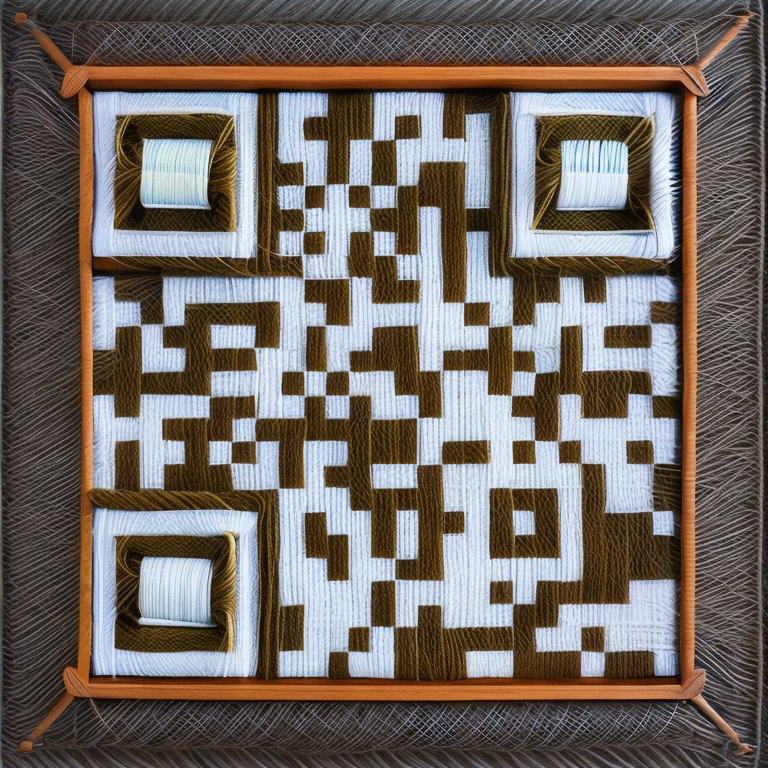
AI-Generated QR Codes
- How it works
- An image model paints a picture around the modules, guided by the code's brightness map.
- Pros
- Looks like artwork, and often scans on a bright screen.
- Cons
- Soft shadows and midtones leave almost no scan margin, and it might fail in print.
Crisp black and white edges give the scanner a wide safety margin.
Shading blurs the grid, so glare or ink spread easily flips a module.
Instead of editing modules, generative AI lets an image model paint around them.
How they work. Models such as Stable Diffusion with ControlNet blend a QR code into a photo, painting or illustration. The code’s brightness map guides highlights and shadows, so dark and light regions match the modules. The result looks like a picture first and often scans well on a bright screen, which is why it spread on social media.
Why they fail on physical products:
- No optical verification margin: barcode verifiers grade symbols under ISO/IEC 15415 (required by EN 18220, minimum grade 1.5 / Grade C) on cell contrast, modulation and axial non-uniformity. AI codes use soft shadows and midtones instead of crisp edges, so their modulation is practically zero and they may fail verification.
- The lighting and angle lottery: the camera has to read global contrast from straight ahead. Warm light, glare or kraft cardboard erase the subtle differences.
- The cliff edge: AI codes deliberately inject module errors to keep the image natural, so they run at the limit of Level H. Any scratch or smudge pushes them over 30%.
Fun for a campaign, an unacceptable failure rate for labels and data carriers.
Branding Around the Code (Recommended)
- How it works
- The QR code stays untouched. The branding sits around it: a frame, a header logo, a call to action and the web domain.
- Pros
- Full error correction and maximum scan reliability, with a branded look.
- Cons
- Needs a little more label space around the code.
Crisp at any size, because it sits outside the grid.
Tells people why they should scan.
Leave the QR grid completely plain and put the branding around it. A plain code keeps all of its error correction and scans reliably. Standards for Digital Product Passport data carriers even encourage a marker outside the code, such as the DPP symbol, so people know what it is for.
- Keep the QR grid pure: Do not overwrite data modules with a logo.
- Choose Level M or Level Q redundancy: Use Level M (15%) for normal packaging and retail tags, or Level Q (25%) for items exposed to heavy friction or industrial wear. All of that redundancy is kept for real-world durability.
- Put the branding around the code: Use brand colors, a header logo, and clear descriptive text outside the 4X quiet zone.
- Brand the landing page: The physical scan takes half a second; the webpage it opens is where your customer spends their time. Deliver your brand experience through custom typography, imagery, and interactive content inside the Digital Product Passport itself.
Comparing the Approaches
Here is how the options compare for a typical serialized product link:
| Criterion | Center Logo Overlay | Plain QR + Frame Around It (Recommended) | AI-Generated QR Code | Data-Shaped QR Code (QArt) |
|---|---|---|---|---|
| Example |
|
|||
| Branding applied | Logo over 15–25% of the center modules | Logo, frame and domain outside the quiet zone | Image model paints around the modules | Filler data shapes the modules into a picture |
| Error correction level | H (30%) | M (15%) or Q (25%) | H (30%) | L (7%) |
| Grid size | 45×45 | 33×33 | 45×45 | 37×37 (bare link: 25×25) |
| Left for wear | ~10% | 15–25% | ~0% | ~7% |
| Main weakness | Little margin left once the logo is in | Needs label space around the code | Fails print verification (ISO/IEC 15415) | Denser grid, blocky one-colour picture |
| Fit for products & DPP | Risky | Recommended | Not suitable | Limited |
Frequently Asked Questions
Does the QR code standard officially support logos inside the code?
No. The international QR code standard (ISO/IEC 18004) has no provision for embedding graphics or logos inside the symbol grid. Every square in the matrix is mapped to a specific data or error correction bit. A logo stamped over the center is treated by scanner software as physical damage that must be reconstructed using error redundancy.
Why does a QR code with a logo scan fine on my phone during testing?
When you scan a code on a bright computer monitor or a pristine sample printout, the lighting is optimal, the contrast is high, and the surface is completely flat. Because there is no real-world damage, the scanner can use its entire error correction capacity just to bypass the logo. But once the code is printed on a textured label, flexed on a garment, or scuffed in shipping, normal wear easily pushes the error rate beyond the recovery limit.
Can I use an AI-generated QR code on a product label?
Not on a label that has to last. AI-generated QR codes replace crisp black and white modules with soft shadows and midtones, so they may fail the cell contrast and modulation grading that industrial verifiers apply under ISO/IEC 15415. They also run at the edge of Level H error correction from the start, leaving no margin for scuffs or ink spread. Use them for screens and campaigns, and print a plain, verified QR code on the product itself.
Why do Digital Product Passport QR codes have denser patterns than marketing codes?
A standard marketing QR code usually encodes a short promotional redirect (about 20 characters). A Digital Product Passport QR code must uniquely identify the specific product, batch, or individual item using a structured format like a GS1 Digital Link (often 50 to 65 characters). Longer text requires more data modules, creating a denser grid with smaller squares.
What error correction level should I choose if I do not use a logo?
For consumer goods and packaging, Level M (~15%) is the standard balance between a compact grid and reliable protection. For products subject to heavy handling, washing, or outdoor exposure, choose Level Q (~25%). Without a logo consuming your buffer, Level M or Level Q gives you significantly more real-world durability than a Level H code with a logo in the middle.
How do I make my QR code recognizable without a logo inside it?
Surround the code with a frame in your brand colors, place your logo in a header bar above the quiet zone, and print your readable website address (such as id.example.com) below. When users point their camera at the code, modern smartphones also show a preview banner displaying your domain name before they even tap, providing immediate reassurance that the link is authentic.